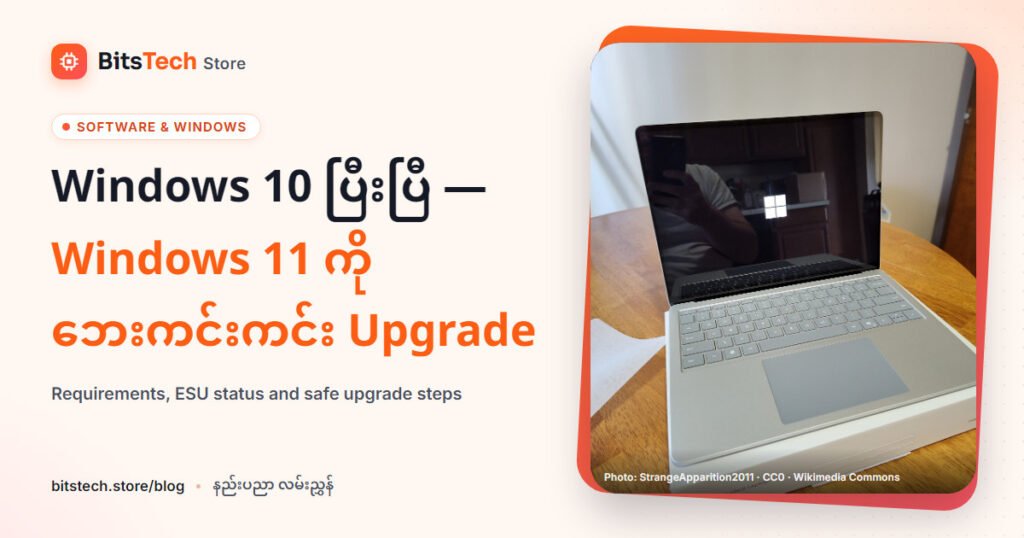
Microsoft က Windows 10 ကို ၂၀၂၅ အောက်တိုဘာ ၁၄ ရက်မှာ support ရပ်ခဲ့ပါတယ်။ ဆိုလိုတာက Windows 10 စက်တွေ ဆက်ပြီး ဖွင့်လို့ရပေမယ့် Microsoft က technical support၊ feature update နဲ့ security update တွေ ပုံမှန်မပေးတော့ပါဘူး။ ၂၀၂၆ နှောင်းပိုင်းမှာ Windows 10 ဆက်သုံးနေသူတွေ ဘာလုပ်သင့်လဲ၊ Windows 11 ကို ဘယ်လို ဘေးကင်းကင်း ပြောင်းမလဲ ဆိုတာကို Microsoft ရဲ့ တရားဝင် အချက်အလက်တွေနဲ့ပဲ ရှင်းပြပါမယ်။
Windows 10 ESU — ၂၀၂၇ အောက်တိုဘာ ၁၂ အထိ
Extended Security Updates (ESU) က Windows 10 အတွက် critical နဲ့ important security update တွေကို ဆက်ပေးတဲ့ program ပါ။ Microsoft ရဲ့ ESU page အရ consumer ESU program ကို ၂၀၂၇ အောက်တိုဘာ ၁၂ အထိ တိုးထားပြီး အဲ့ဒီနေ့မတိုင်ခင် ဘယ်အချိန်မဆို enroll လုပ်လို့ရပါတယ်။ Enroll ပြီးသားသူတွေက ဘာမှ ထပ်လုပ်စရာ မလိုပါဘူး။
- Enroll နည်း သုံးမျိုး — PC Settings ကို sync လုပ်ထားရင် အခမဲ့၊ Microsoft Rewards point 1,000 နဲ့ လဲ၊ ဒါမှမဟုတ် US$30 (ဒေသတွင်းငွေ ညီမျှ + tax) တစ်ကြိမ်တည်း ပေး။ License တစ်ခုကို စက် ၁၀ လုံးအထိ သုံးနိုင်ပါတယ်။
- လိုအပ်ချက် — Windows 10 version 22H2 (Home၊ Pro၊ Pro Education၊ Workstations)၊ နောက်ဆုံး update တွေ (Licensing Preparation Package KB5126256 အပါအဝင်) တင်ထားဖို့နဲ့ administrator ဖြစ်တဲ့ Microsoft account (child account မဟုတ်) လိုပါတယ်။
- Enroll လုပ်ရန် — Settings > Update & Security > Windows Update မှာ “Enroll now” ကို နှိပ်ပါ။
- မပါတာ — Feature အသစ်၊ အခြား bug fix နဲ့ technical support မပါပါဘူး။ ESU က အချိန်ဆွဲပေးတာသာ ဖြစ်ပါတယ်။
Microsoft 365 apps ကိုတော့ Windows 10 ပေါ်မှာ ၂၀၂၈ အောက်တိုဘာ ၁၀ အထိ security update ဆက်ပေးမယ်လို့ Microsoft က ဆိုပါတယ်။
Windows 11 minimum requirements
| Component | အနည်းဆုံး လိုအပ်ချက် |
|---|---|
| Processor | 1 GHz နဲ့ အထက်၊ core ၂ ခုနဲ့ အထက်၊ compatible 64-bit processor / SoC |
| RAM | 4GB |
| Storage | 64GB နဲ့ အထက် |
| System firmware | UEFI၊ Secure Boot capable |
| TPM | Trusted Platform Module (TPM) version 2.0 |
| Graphics | DirectX 12 နဲ့ အထက်၊ WDDM 2.0 driver |
| Display | 9 လက်မထက်ကြီး၊ 720p HD |
| Internet / account | Home နဲ့ Pro (ကိုယ်ပိုင်သုံး) setup လုပ်ချိန် internet နဲ့ Microsoft account လို |
ဒါက အနည်းဆုံး လိုအပ်ချက်သာ ဖြစ်ပါတယ်။ လက်တွေ့ ချောချောမွေ့မွေ့ သုံးဖို့ဆိုရင် RAM 8–16GB နဲ့ SSD ရှိတာ အများကြီး ကွာပါတယ်။
လက်ရှိ Windows 11 version — 26H2
Microsoft ရဲ့ release information page အရ Windows 11 version 26H2 ကို ၂၀၂၆ စက်တင်ဘာ ၂၉ မှာ ထုတ်ခဲ့ပါတယ်။ Version 24H2 ရဲ့ Home နဲ့ Pro edition တွေက update ရပ်သွားပြီ ဖြစ်လို့ 24H2 မှာ ရှိနေသေးရင် Windows Update ကနေ 25H2 သို့မဟုတ် 26H2 ကို update လုပ်ပါ။ 25H2 ရဲ့ Home/Pro update ကတော့ ၂၀၂၇ အောက်တိုဘာ ၁၂ အထိ ရပါတယ်။
Upgrade မလုပ်ခင် စစ်ရမယ့်အရာများ
- PC Health Check app — Windows 10 စက်မှာ Microsoft ရဲ့ PC Health Check ကို run ပြီး Windows 11 requirement ပြည့်မပြည့် စစ်ပါ။
- TPM 2.0 — Windows key + R နှိပ်ပြီး tpm.msc ရိုက်ပါ။ “Specification Version” က 2.0 ဖြစ်ရပါမယ်။ “Compatible TPM cannot be found” ပြရင် UEFI ထဲမှာ ပိတ်ထားတာ ဖြစ်နိုင်ပါတယ်။
- TPM ဖွင့်နည်း — Settings > Update & Security > Recovery > Restart now > Troubleshoot > Advanced options > UEFI Firmware Settings ထဲဝင်ပြီး “Intel PTT”၊ “Intel Platform Trust Technology”၊ “AMD fTPM switch”၊ “AMD PSP fTPM” ဒါမှမဟုတ် “Security Device” လို နာမည်တွေကို ရှာဖွင့်ပါ။ BIOS setting ပြင်ရမှာ စိုးရိမ်ရင် ဆိုင်ကို အကူအညီ တောင်းပါ။
ဘေးကင်းတဲ့ upgrade အဆင့်များ
- Backup လုပ်ပါ — ဓာတ်ပုံ၊ document၊ ဆိုင်စာရင်း file တွေကို OneDrive ဒါမှမဟုတ် external drive ထဲ အရင်ကူးထားပါ။
- Requirement စစ်ပါ — PC Health Check နဲ့ စစ်ပါ။
- Windows 10 ကို update ပြည့်အောင် လုပ်ပါ — ကျန်နေတဲ့ update တွေ မတင်ရသေးရင် Windows 11 offer မပေါ်တတ်ပါဘူး။
- Windows Update ကနေ upgrade လုပ်ပါ — Settings > Update & Security > Windows Update > Check for updates မှာ Windows 11 ပေါ်ရင် “Download and install” ကို ရွေးပါ။ ဒါက Microsoft အကြံပြုတဲ့ နည်းပါ။
- မပေါ်ရင် Installation Assistant — Microsoft ရဲ့ Windows 11 download page က Installation Assistant ကို သုံးနိုင်ပါတယ်။
- Clean install (လိုအပ်မှ) — Installation media နဲ့ boot လုပ်ပြီး install ရင် drive ထဲက file နဲ့ app အားလုံး ပျက်မှာ ဖြစ်လို့ backup သေချာမှ လုပ်ပါ။
- Upgrade ပြီးရင် — Driver နဲ့ app တွေ စစ်ပါ။ ပြဿနာရှိရင် Settings ကနေ Windows 10 ကို ပြန်ပြောင်းတဲ့ option က များသောအားဖြင့် ၁၀ ရက်အတွင်းသာ ရပါတယ်။
Requirement မပြည့်တဲ့ PC ဆိုရင်
Requirement မပြည့်တဲ့ PC မှာ Windows 11 ကို အတင်းတင်တာကို Microsoft က မအကြံပြုပါဘူး။ ဒီလို စက်တွေမှာ Microsoft support မရ၊ security update အပါအဝင် update တွေ ရမယ်လို့ အာမခံချက်မရှိ၊ desktop ပေါ်မှာ watermark ပေါ်မယ်လို့ Microsoft က ရေးထားပါတယ်။ ရွေးစရာတွေက —
- ESU ကို enroll လုပ်ပြီး ၂၀၂၇ အောက်တိုဘာအထိ Windows 10 ကို ဆက်သုံး၊ အဲ့ဒီကြားမှာ စက်အသစ်အတွက် စီစဉ်။
- CPU က support list မှာ ပါပြီး TPM ပိတ်ထားတာသာဆိုရင် UEFI မှာ ဖွင့်ပြီး upgrade။
- Windows 11 ပါပြီးသား PC/laptop အသစ် ဝယ်။
ဘယ်သူ့အတွက် ဘာလုပ်သင့်လဲ
| သင့်အခြေအနေ | လုပ်သင့်တာ |
|---|---|
| Requirement ပြည့်တဲ့ Windows 10 PC | Backup လုပ်ပြီး Windows Update ကနေ Windows 11 ကို အခမဲ့ upgrade |
| TPM ပိတ်ထားတာသာ | UEFI မှာ Intel PTT / AMD fTPM ဖွင့်ပြီး upgrade |
| CPU အဟောင်း (support list မပါ) | ESU enroll + ၂၀၂၇ မတိုင်ခင် PC အသစ် စီစဉ် |
| ဆိုင်/ရုံး စက်များ | Domain/MDM စက်တွေက consumer ESU မရလို့ IT နဲ့ commercial ESU ကို စစ်ပါ |
| PC အသစ် ဝယ်မယ့်သူ | Windows 11 ပါပြီး RAM 16GB၊ SSD ပါတာကို ရွေး |
Windows 11 ပါတဲ့ laptop နဲ့ desktop PC တွေကို BitsTech Store မှာ ရှာကြည့်နိုင်ပါတယ်။
မေးလေ့ရှိတဲ့ မေးခွန်းများ
Windows 10 ကို ESU မလုပ်ဘဲ ဆက်သုံးရင် ဘာဖြစ်မလဲ။
စက်က ဆက်အလုပ်လုပ်ပါတယ်။ ဒါပေမယ့် security update မရတော့လို့ virus၊ ransomware တိုက်ခိုက်ခံရနိုင်ခြေ မြင့်လာပါတယ်။ အွန်လိုင်း banking၊ ဆိုင်စာရင်း လုပ်တဲ့ စက်ဆိုရင် အထူးသတိထားပါ။
Windows 11 upgrade က ပိုက်ဆံ ပေးရလား။
Requirement ပြည့်ပြီး မူရင်း Windows 10 license ရှိတဲ့ PC ဆိုရင် Windows Update ကနေ အခမဲ့ upgrade လုပ်လို့ရပါတယ်။
Upgrade လုပ်ရင် file တွေ ပျောက်မလား။
Windows Update နဲ့ in-place upgrade လုပ်ရင် default အားဖြင့် personal file နဲ့ app တွေ ကျန်ပါတယ်။ ဒါပေမယ့် “Nothing” ကို ရွေးရင် ဒါမှမဟုတ် clean install လုပ်ရင် ပျက်မှာဖြစ်လို့ backup ကို အမြဲလုပ်ပါ။
ကိုးကား
- Microsoft Support — Windows 10 support has ended on October 14, 2025
- Microsoft — Windows 10 Consumer Extended Security Updates (ESU)
- Microsoft — Windows 11 specifications and system requirements
- Microsoft Learn — Windows 11 release information
- Microsoft Support — Ways to install Windows 11
- Microsoft Support — Enable TPM 2.0 on your PC
- Microsoft Support — Installing Windows 11 on devices that don’t meet minimum requirements
- Microsoft — Download Windows 11 (Installation Assistant)
BitsShop ပေါ်က ဆိုင်တွေမှာ ရှာကြည့်ပြီး ဆိုင်ကို တိုက်ရိုက် ငွေချေ (သို့) COD နဲ့ ဝယ်ပါ။
26H2 ရှာမယ်